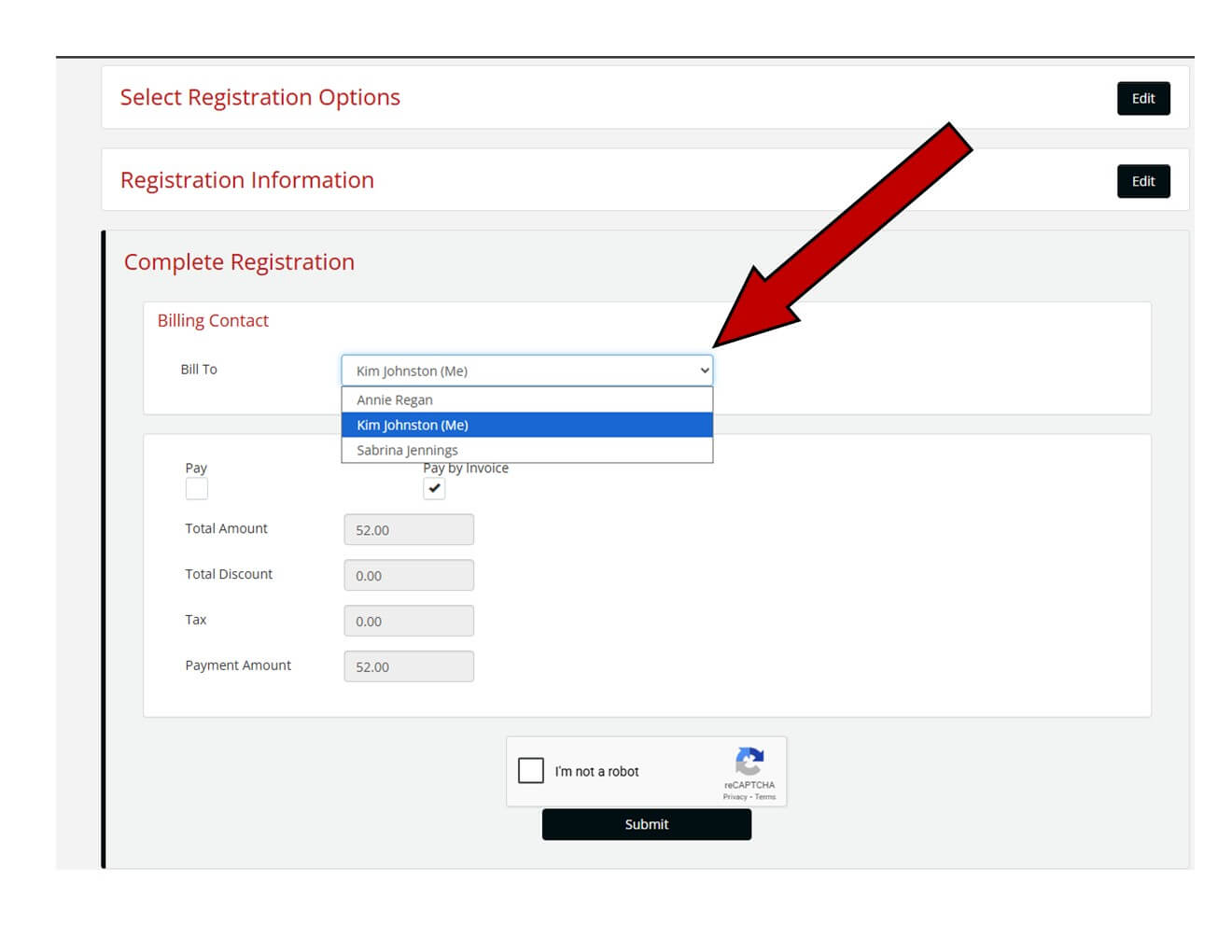
Sending your invoice to another contact within your company is quick and easy!
How to Send Your Invoice to Another Contact
After completing your registration information, you’ll move into the Complete Registration section.
Look for Billing Contact highlighted in red.
Use the dropdown menu to select the correct person within your company who should receive the invoice.
Continue to the Pay Options section.
Select Pay by Invoice (make sure to check the box under Pay by Invoice).
Complete the quick verification by checking “I am not a Robot.”
Click Submit — and you’re done!
Good to Know
The contact you select will be able to pay multiple invoices at once, making the process efficient for your team.
Each invoice will include the names of the attendees exactly as you entered them, so accuracy is important.
System permissions vary by user. Not everyone in your organization may have invoice‑payment access.
If adjustments are needed, we’re happy to help get those settings updated.
 Click here to learn more about how to pay multiple invoices.